Being a software developer by trade, I’ve dabbled with game development in the past, but never got close to finishing anything. I get the feeling many others are in the same boat. I was mindlessly scrolling youtube when I came across a video on Usagi, a newly released game engine focused on being accessible and empowering devs to make small games, fast - which the author asserts is the best way to learn.
Usagi highlights:
- Scripting language is lua, simple and accessible
- The API is opinionated and minimalistic/constrained, allowing the developer to be more focused/productive
- “Live reload” feature means you can immediately observe changes in your game as you code
- Simple to build for web and desktop platforms
Learning that the Usagi 2026 game jam would be starting soon, I signed up, hopeful that the time pressure would coax me into finishing a game project for once. To give myself the best chance, I’ll try to work on the most important features first and keep the scope small.
This jam has an important rule - no AI generated art/assets or “vibe coding” allowed! Usagi’s creator wants to promote learning and creativity, which I can understand.
The game
The theme for the jam is “Moon”. I thought about making a shooter on the moon, like in a moon base or something. I will call it “Moonshot” (heh). Ok I see there’s already a game called Moonshot on Steam, but whatever I’m rolling with that for now. The name is not important - just make the damn game.
I thought about a fun little game called “Dead Pixels”, which has a side-on view like a platformer but has depth so the player can walk up and down as well as left and right, beat’em’up style:
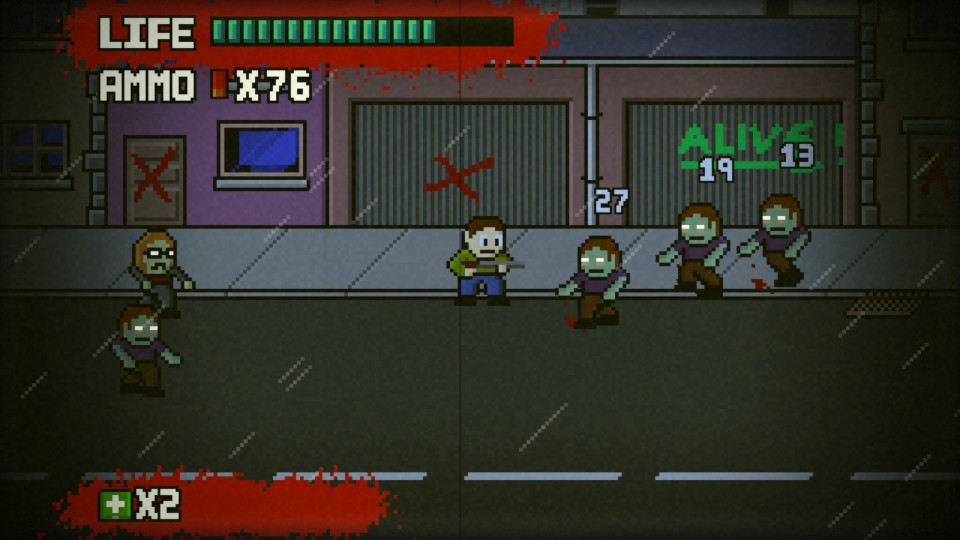
So, I’ve similarly decided to make a shooter in this perspective. Time to whip up some amateurish pixel art. After a bit of fiddling in Aseprite (a popular sprite editor) I came up with this little spritesheet:

Ok I don’t know what I’m going to do with the moon yet but the theme is “moon” so I spent a bit too much time trying to make a little pixely moon. The robot geezer will be the enemy, and the player will be “green guy”. The thing on the far right is some kind of moon fence/wall, I suppose. At this point I figure let’s just start coding something with these sprites.
Rendering the sprites (without animation) and hooking up input to player movement proved to be fairly straightforward.
Usagi uses the convention that the spritesheet should be named sprites.png in the project root, with a default (but configurable) size of 16x16 pixels per sprite. Then, rendering a sprite on screen is as simple as gfx.spr(sprite_index, x_position, y_position) For example, you could render the first sprite in your sheet to the top-left corner of the screen with gfx.spr(1, 0, 0). However, I ended up using the extended form of gfx.spr_ex() which takes 8 arguments, as I needed to be able to flip the sprite based on the direction the player is currently facing.
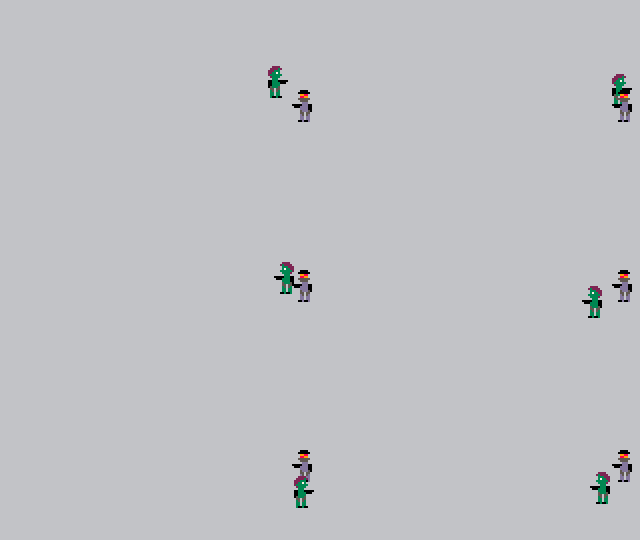
The most difficult problem I had with my basic movement example was getting the sprites to be rendered in the correct order, since the perspective I’m using for my game means the objects will often overlap. An object in front should be rendered after any objects behind it, so that it appears on top. Naturally, as objects move around, the order will change from frame to frame. I probably could have put this off a little longer but it didn’t take too long to find a solution that kept compatibility with Usagi’s live reload feature:
I then enabled the player to shoot bullets, that would unceremoniously kill any enemy they touched. With the enemy logic not yet implemented, it’s like shooting moon robots in a barrel:
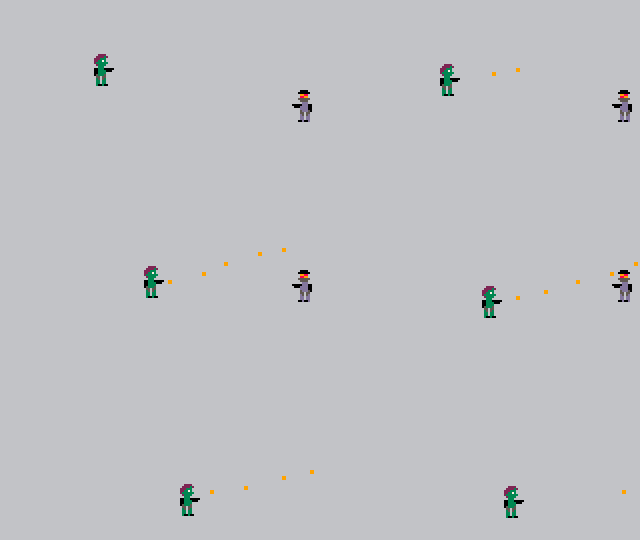
You can play the above in your browser here. I’ve pushed the source code for the above to a public Github repo. After the jam ends (on July 14th!) I’ll update it with my finished code for the submission.
And that’s where I’m up to so far. Some challenges I forsee going forward:
- Getting the enemy AI right (making it fun) will be tricky
- Level design/management, scene transition
- Need to find some good sound effects and music
- There doesn’t seem to be anything in the API to help with animations, looks like I’ll have to DIY it, but that’s low priority for now
- If I want to add side scrolling that will complicate things - the screen space is the same as the world space right now as everything is within a single screen
Stay tuned for the next episode, where I hopefully have a more substantial game going. I’m thinking maybe I can gain notoriety as the Tommy Wiseau of video games. It’s so bad that it becomes good?