I’m writing this post the day after the game jam has ended, to give me enough time to finish and submit the game - which I’m happy to say that I did! There’s plenty of room for improvement, but it’s a fully playable experience with a bit of challenge and perhaps fun!
Here’s a few highlights of the changes I had to make to get it submission-ready.
Enemy AI
First on my TODO list was getting some basic AI on the enemy - let’s make the player sweat a little. Here’s what I came up with:
- Enemy is ranged/gun-wielding so will continuously shoot in the player’s general direction.
- The shot doesn’t need to exactly line up with the player, rather the enemy should just be facing the player before taking a shot.
- A simple static “reload” timer will determine how often the enemy fires.
- Vertically, enemy will always move toward the player so the enemy’s shot has a better chance to hit the player.
- Horizontally, the enemy will move toward the player but when the player is “too close” the enemy will run away.
- To make the movement more interesting, the move direction will be calculated at intervals, not continously.
- This means the enemy movement will “overshoot” and re-adjust rather than heading in a straight line towards the player, and will be less likely to shoot exactly at the current position of the player.
- The interval duration will be randomised to make the movement more interesting/less predictable.
To get a sense of how the AI feels when there are many enemies on the screen, I made the enemies spawn on a timer:
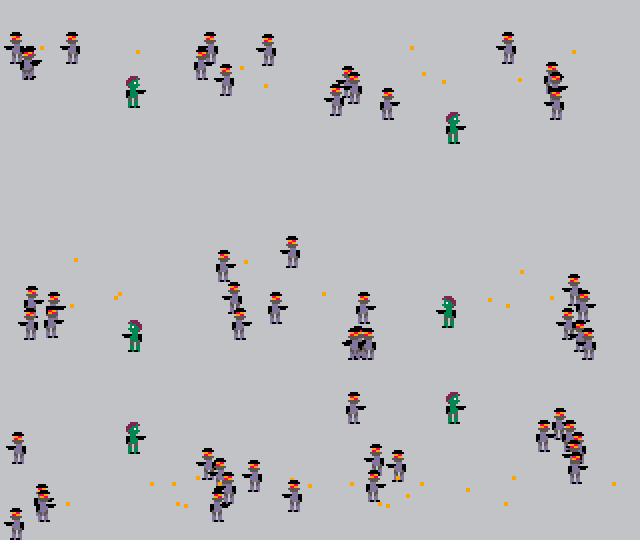
Not bad! I only had to make one little fix prior to submission - it was possible to break/“cheese” the AI by chasing the enemies to the edge of the screen:
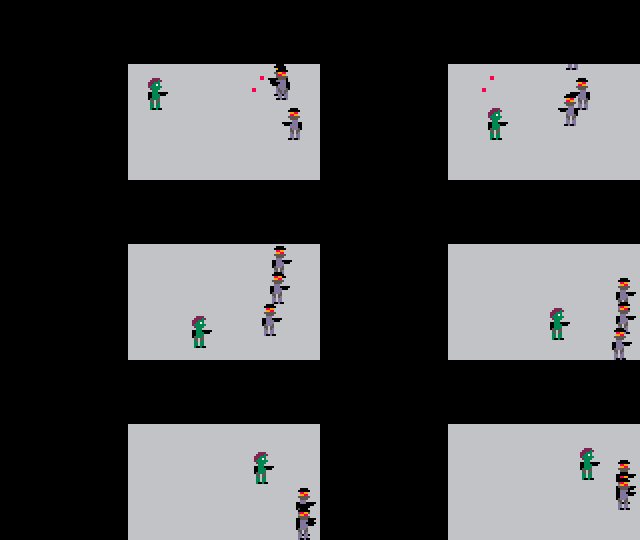
This occured as “run away” mode was triggered due to closeness to the player, but the AI isn’t taking into account that there’s no space left to run away. By calculating the available “breathing space”, the AI can be refined to simply run back towards the player when cramped. A small yet effective tweak:
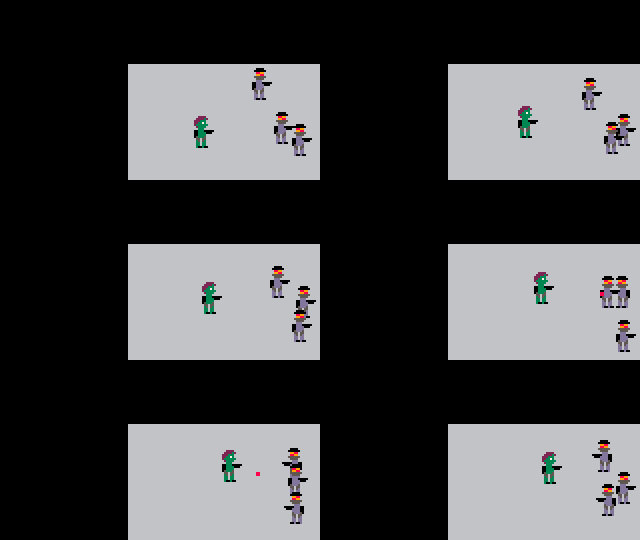
It’s become a really bad idea to back the enemy into a corner!
The full code for the enemy AI can be found in the update_enemy() function.
Scene management
So far I only had a single screen/scene in the game, which was for the actual gameplay, but I needed to create some more and tie them all together:
- Opening/intro screen
- In-game/gameplay screen
- Death/loss screen
- Win screen
The official Usagi book includes a recipe for transitioning between scenes which I used as inspiration for my own code.
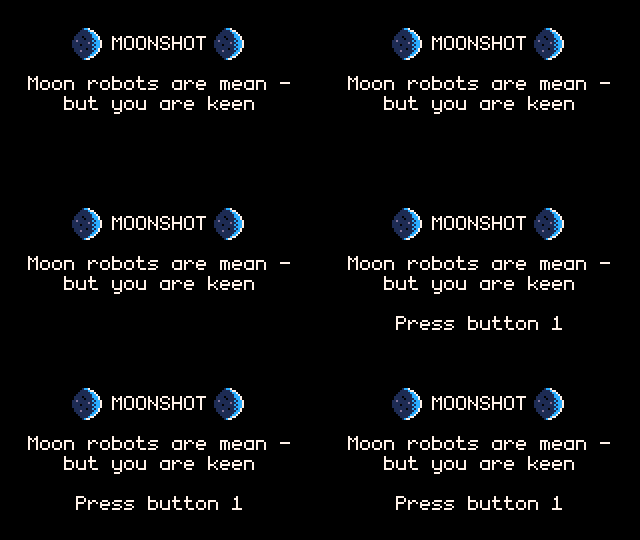
Here’s my little intro scene in action:
Sound effects
Sound effects are a simple but effective way of improving the feel of the game. The “bring your own tools” section of the Usagi Readme has links to some useful tools for producing game assets. Among them is jsfxr which gives a convenient interface for generating retro game sounds. I spent a bit of time randomising and fumbling with the sliders until I got some decent results that seemed to fit pretty well in the game.
Making waves
To tie the whole game together, I needed to be able to design/orchestrate “waves” of enemies for the player to defeat, thus providing a win condition when all waves are defeated.
I worked out a simple data structure (lua table) that would serve as instructions for orchestrating the waves/enemy spawns. Below is the configuration for the first wave of my submitted game:
local waves = {
  {
    steps = {
      { side = SIDE_LEFT, count = 3, delay = 0.5 },
      { delay = 5.0 },
      { side = SIDE_RIGHT, count = 3, delay = 0.5 }
    }
  },
  {
    steps = {
      -- steps for wave 2 go here
    }
  },
  ...
The heirarchy of execution is waves -> steps -> counts.
At the top level/root of the table is the list of waves in the game. A wave will not finish until all steps are executed and all spawned enemies are defeated. In-between waves there’s a small intermission to let the player recover for the next wave. Once all waves are completed, the game is won.
Each wave has a list of steps, which are executed in order. Each step defines the side of the screen that the enemies will spawn from, the number of enemies (count) that will be spawned from that side and the time delay between each of those spawns (I didn’t want to spawn enemies on the same side at exactly the same time, because there’s a chance they’d spawn on top of each other). If side is omitted, then no enemies are spawned, but the step still takes delay seconds to execute, giving the player a break before the next step.
See spawner.lua for the full code.
Finally, the finished product!
In the end, I was able to finish a small game project thanks to the constraints and ergonomics of the Usagi engine. I also had a bunch of fun. It’s an easy recommend if you’re looking to get into game dev.
To try the game, you can visit either the jam listing or the game page itself, hosted on itch.io.